
SASSA Change Phone Number
SASSA uses your registered phone number to record your grant application, send payment SMS, verification requests, and official updates. When that number stops working due to a lost cellphone or a blocked SIM card, you can lose access to the SASSA SRD grant or any other social grant you depend on.
Report SASSA for Lost Phone Number or Unauthorized Changes
If someone else has changed your phone number, or your registered phone is lost and no longer accessible, this must be reported to SASSA as soon as possible. Without access to the registered number, SMS confirmations and verification messages for grant payments can be missed, and you may lose your grant payments.
To report the issue, contact the SASSA toll-free helpline at 0800 601 011. Once reported, SASSA will block the old number. After that, the phone number linked to the grant can be updated at a SASSA office or through the online process so you can continue to receive your approved grant payments without interruption.
SASSA Change Phone Number Online
To change your SASSA phone number, you will need your South African Identity Card and your new SIM number. This applies to the SRD R370 grant and all other social grants, including Old Age, Disability, Care Dependency, and Child Support Grants. We have made the process simple so you can follow the steps easily.
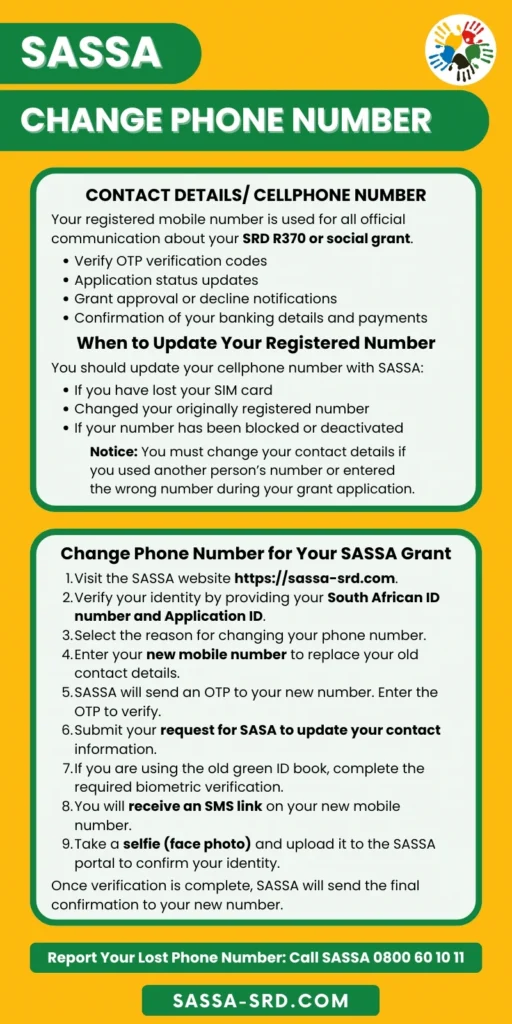
Step 1 – Access the Official SASSA Portal
To change your phone number, visit the SASSA portal at https://srd.sassa.gov.za/sc19/contact/
Step 2 – Enter Your ID and Application ID
On the SASSA portal, you’ll see a field asking for your South African ID number. Type your 13-digit ID number without spaces or dashes. If spaces are included, the system will not recognise the number.
Next, enter your application reference number for the SRD grant or social grant. If it has been lost, you can retrieve it using the SASSA status check online with the old phone number.
Note: You will be given a unique reference number when you submit your SASSA online application for a social grant or SRD grant on the portal. This allows you to track your application in the system if it is not being processed, and serves as proof of submission.
Step 3 – Enter Your New Phone Number and State the Reason
Provide your new phone number to update your contact details for your SRD grant application. You can type your 10-digit South African mobile number without spaces, dashes, or brackets.
Your phone number should be formatted like this: 0823456789.
Below that is a dropdown menu to provide the reason for changing your phone number. You can select the reason that matches your situation from the available options, such as your cellphone being stolen, your SIM card being blocked, changing your phone company, or other reasons.
Step 4 – Verify the SASSA OTP
SASSA will send an OTP to your new mobile phone number. Check your phone for an SMS from SASSA. The message contains a 6-digit OTP code. This usually arrives within 2 minutes.
When the SMS arrives, enter the 6-digit One-Time Pin Code exactly as shown. SASSA OTP stays valid for 15 minutes.
Click the Verify button, and the system checks if the code matches what was sent. If correct, you proceed to the next step.
Step 5 – SASSA Biometric Verification
SASSA now requires biometric verification when you request to change the registered phone number to protect grant payments. You must complete e-KYC to confirm that you are the original applicant.
You will receive an SMS from SASSA with a secure link asking you to take a live selfie and upload it for verification. The system matches your photo with your ID in the Department of Home Affairs records.
Note: If required, you may also be asked to upload a photo of your identity document or another valid form of identification.
Step 6 – Confirmation and Completion
After adding your new phone number and completing biometric verification, the SASSA portal will display a confirmation message. “Your phone number update has been submitted successfully.” Now you need to wait for the SASSA to process the request and update the contact details in the system.
Change SASSA Number at SASSA Office
You can consider visiting the SASSA office if you have lost your phone and SIM card with no access to the old number. An in-person visit can also resolve problems related to biometric verification if you have failed multiple times despite following all instructions. You will need your South African ID card and new phone number.
Step 1 – Go to Your Nearest SASSA Office
SASSA has multiple offices throughout each South African province. You can visit the nearest office in person during the operating hours, Monday through Friday, 7:30 AM to 4:00 PM.
Step 2 – Visit During Morning Times
Arrive early. The best time is first thing in the morning, aim for 7:00-9:00 AM. Queues form quickly, and early arrival means shorter wait times.
Avoid month-end at all costs. Between the 25th of one month and the 5th of the next, SASSA offices are overwhelmed with beneficiaries checking payment statuses and collecting grants. A normally 30-minute visit can take half a day.
Step 3 – At the Office Reception
Tell the receptionist at the entrance that you need to change your phone number for your SRD grant or any other social grant. They’ll direct you to the right queue or counter.
When you reach the counter, hand over your ID document and explain that you need to update your contact number. The SASSA officer will access your profile using your ID number.
They’ll pull up your existing grant information on their system and confirm your identity. Be prepared to answer basic questions, your full name, date of birth, and current address to verify you’re the legitimate grant holder.
Step 4 – Biometric Verification
SASSA offices have professional biometric capture equipment. The officer will use this to take your photo and scan your fingerprints right there.
This in-person scan usually works even when the online version fails because the office equipment is more advanced and the officer can adjust settings, lighting, and positioning to get a clear capture.
The verification happens instantly in most cases. The system confirms your identity against Department of Home Affairs records while you wait. If there’s a match, the officer will update your details immediately.
Step 5 – Confirmation
Once verification succeeds, the officer updates your phone number in the system. You receive a printed confirmation receipt with a reference number. Keep this receipt, it’s your proof that you requested to change your phone number.
You’ll receive SMS confirmation on your new number once the change completes, just like the online method.
SASSA Verification of New Phone Number
After submitting your request to change phone number, your submission enters SASSA’s processing queue. Standard processing takes 14 working days for both the office and the online system. This is the time SASSA needs to verify your new phone number, update their systems, and activate your new number across all their databases.
Once the new number is registered in the system, all future communication from SASSA, including payment notifications, SASSA payment dates, application updates, monthly grant status, and OTP codes, will go to your new number only. Your old number stops receiving SASSA messages.
After that, you can check your updated status anytime at https://srd.sassa.gov.za/sc19/status. Enter your ID number, and the status screen will show your current contact details.
SASSA Biometric Verification (e-KYC)
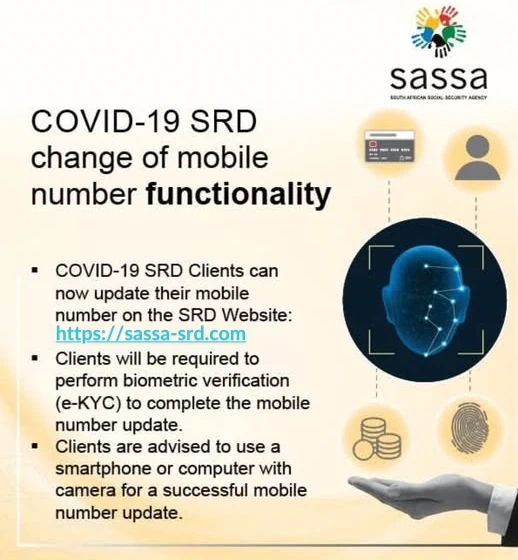
SASSA’s new identity verification e-KYC stands for electronic Know Your Customer, a digital identification process used to confirm your identity. This mandatory verification was introduced in September 2025 after years of widespread grant fraud. Before this system, people could change phone numbers using just basic information, making it easy for fraudsters to hijack accounts and redirect grants to themselves.
With enhanced security, SASSA biometric verification process uses facial recognition and fingerprint technology. When you submit a selfie, the system compares it in real time with the photo on your ID stored at the Department of Home Affairs. This is the same technology South African banks use for secure digital account openings and high-value transactions.
This mandatory process helps SASSA prevent fraud and protect grant payments by verifying every beneficiary who requests changes to their personal details. Verification is required once per phone number change. Once completed successfully, that specific change request is valid. Any future changes will require repeating the verification process.
What if I don’t have access to my old phone number anymore?
You can still change your SASSA phone number even if you no longer have access to the old one. Visit your nearest SASSA office with your ID document. A SASSA official will update your phone number directly without requiring access to your previous number. You will need to complete biometric verification and then provide your new phone number to be linked to your grant, replacing the old number on the system.
What if I don’t receive the OTP when changing my number?
Wait 5 minutes before taking action, as OTPs can be delayed during network congestion. Check your phone’s signal strength and your SMS inbox. If the OTP still doesn’t arrive after 5 minutes, do not request multiple OTPs because the SASSA system will lock you out for 24 hours after too many attempts. Contact your mobile provider to verify they aren’t blocking SASSA messages. If problems persist, visit a SASSA office where staff can complete the change without relying on OTP verification.
How do I know if my phone number change was successful?
SASSA sends an SMS confirmation to your new phone number within 24–72 hours after approval, confirming that the update is complete. You can also verify the change by checking the SASSA SRD status at https://srd.sassa.gov.za/sc19/status. Enter your ID number and new phone number, and the SASSA system will display your status. If your status appears on the portal, it means your new phone number has been successfully updated in the system.
Do I need my Application ID to change my phone number?
Your Application ID is no longer required for phone number changes under the biometric verification system introduced in 2025. Now you need to verify your identity with SASSA e-KYC and provide your 13-digit South African ID to update your contact number.
My Sasa application say um already activated but it’s my first time applying so that means someone is using my ID number or something course l don’t understand what’s happening and l really need this money so can you please help fix it..
Please use an active phone number registered to your ID card to avoid this issue.
Why massage say do biomatric verification is not removed after did it from sassa branch
Your Identity Verification failed Please follow this https://sassa-srd.com/sassa-identity-verification/