
SASSA Online Application
You can apply for social grants online using the official SASSA Services portal. SASSA manages several social grants, including the Older Persons, Care Dependency, Disability, War Veterans, Grant in Aid, Foster Child, and Child Support grants. The platform allows you to submit your SASSA online application from home, using your computer or phone, and avoid long queues at local offices.
Conditions for SASSA Grant Application
SASSA has specific requirements for each grant type, which you need to know for a successful online application. You must submit the correct documents for your required grant type.
Common Documents for All Grant Applications
Regardless of your grant type, you must provide these basic documents.
- Proof of Identity: Your valid South African Smart ID card.
- Proof of Residence: Provide your home address.
- Proof of Income/Assets: Last 3 months’ bank statements, or payslips if employed.
- Employment Status: If unemployed, a discharge certificate from your last employer or UIF registration document.
- Marital Status: Your marriage certificate (if married), divorce order (if divorced), or spouse’s death certificate (if widowed).
Grant Specific Requirements for SASSA Applications
- Older Person’s Grant: Proof that you are 60 years or older.
- Care Dependency Grant: A birth certificate and a medical report on the child’s disability.
- Disability Grant: A doctor’s report for medical assessment that is less than 3 months old to confirm your disability.
- War Veterans Grant: You must be 60 or older and provide proof of military service.
- Child Support Grant: The child’s birth certificate and, if you are not the child’s parent, a certified affidavit from a social worker.
- Foster Child Grant: The official court order for the foster care of orphaned childerns in your care.
- Grant-in-Aid: Proof that you already receive a social grant like an Old Age or Disability Grant and require full-time care.
Registration On SASSA Services Portal
To submit your application, you first need to create an account on the SASSA Services Portal. This registers your personal profile for accessing the platform for social grants, not the Social Relief of Distress (SRD) grant.
- Visit the SASSA services web portal. https://services.sassa.gov.za/
- Click the “Register” button to create an account.
- Read and accept the consent form for your data.
- You have to fill in the registration form with the required details.
- Your ID type and 13-digit Smart ID card number.
- Your full name and surname as on your ID document.
- Your title as Mr, Mrs, or Miss.
- Your personal South African cellphone number.
- Your email address, if applicable.
- Then create a strong password and submit the form.
- SASSA will send a 6-digit OTP (One-Time Pin) via SMS to your phone within minutes.
- Enter the OTP on the portal to verify your number and activate your account.
Once your account is registered successfully, you will receive a confirmation message that your account is active, and you can apply for any SASSA social grant online.
Complete Your SASSA Online Application
You can complete your SASSA application for a social grant online by following the steps below. We’ve simplified the process so you can easily apply for any grant and successfully receive the financial support you need from SASSA.
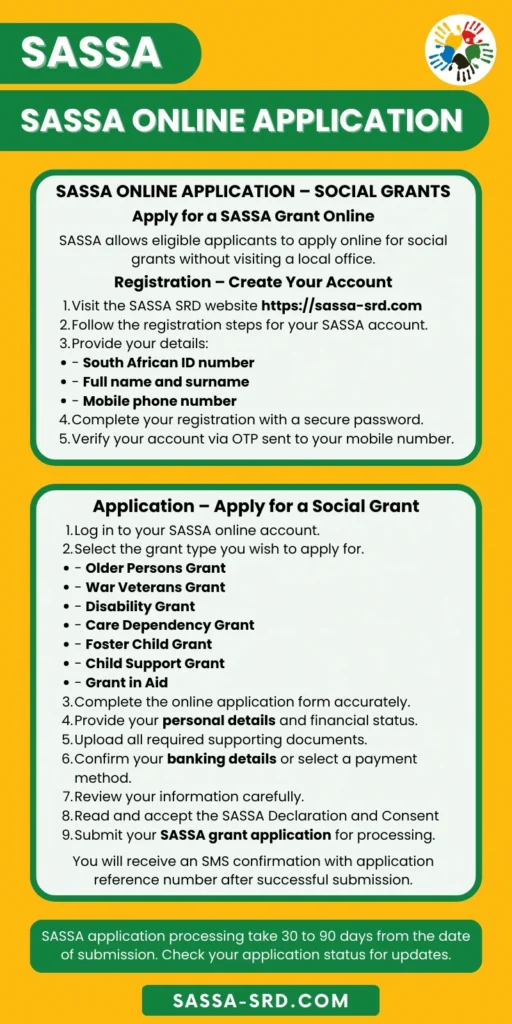
Step 1 – Log In to Your New Account
Use the ID number and password you just created to log in at the SASSA Services Portal: https://services.sassa.gov.za/
Step 2 – Select your Social Grant Type
You have to choose the specific grant type you want to apply for from the list under the “Social Grants Options.”
- Older Persons Grant
- Care Dependency Grant
- Disability Grant
- Foster Child Grant
- Child Support Grant
- Grant in Aid
Step 3 – Complete Your SASSA Online Application Form
Fill in your online application form with all the required information in the given sections. This is the data SASSA checks to confirm your identity.
Personal Details: Type your full name, ID number, date of birth, and gender exactly as they appear on your ID document.
Contact Details: Add your current home address, your active South African cellphone number, and if applicable, your email address.
Financial Details: Provide your total monthly income, including bank statements, and state whether you are employed or receive any pension.
Spouse’s Details: If you are married, provide your spouse’s financial status. If you are divorced, provide the information from your divorce documents, including the year of divorce.
Banking Details: To receive your grant payments, you must provide your personal bank account information, including your bank name, branch code, account number, and account type. SASSA allows you to change your banking details later if needed. Make sure the provided bank account is registered in your name.
Step 4 – Upload the Required Documents for Your Grant
To support your grant application, you need to upload the required documents, which can include a medical report, marriage certificate, child’s birth certificate, court order, or certified affidavit.
Each SASSA grant type has its specific requirements, as listed in the above section ‘Requirements for SASSA Grant Application.’
Step 5 – Read and accept the SASSA Declaration and Consent
You have to read and accept the Declaration and Consent forms for SASSA to verify your details through government databases.
Step 6 – Review and Submit Your Application
Confirm your provided information and uploaded documents for accuracy to avoid “Identity Verification Failed” errors. Once you have checked, submit your application to the SASSA portal.
Step 7 – Receive SASSA Confirmation for Application Submission
SASSA will send you a reference number via SMS to your phone number to confirm your application has been submitted successfully. That receipt is your proof of application.
SASSA Grant Application Processing Time
Once you submit your complete application, you only need to wait for approval. The standard processing time for a SASSA grant application is up to three months (90 days) from the date of submission. The timeline depends on the volume of applications, the complexity of your verification, and the completeness of your documents. As soon as SASSA reviews your application and approves it, you will receive an SMS on your registered phone number confirming the start of your monthly payments.
Check Your SASSA Application Status
After applying, you can check your application status online using your ID number and registered cellphone number. SASSA provides online status updates for your new application approval and for your ongoing monthly grant verification before payments are released.
To check your SASSA application status, go to the SASSA SRD website at https://sassa-srd.com. Your status will show the current stage of your application: whether it is Pending, Rejected, or Approved.
Pending Status Means
If your status shows Pending, it means SASSA is still reviewing your details. If it shows a specific reason, “Pending Banking Details” that indicates you need to provide the missing bank information correctly for your application to be processed.
Rejected Status Means
If your status is Rejected, it means SASSA has not approved your application. The reason for rejection is provided in your status details.
You can review this reason and, if you believe it is incorrect, you have the right to appeal the decision. You must submit a SASSA appeal within 90 days.
Approved Status Means
This status means your application is successful and SASSA has approved your grant. You can now check the SASSA payment dates to find the exact date your grant is scheduled to be paid.
How long will it take for me to get paid.sassa send a reference number of 8digits no I wonder what is it for.
My 370 is declining please help
Hello Selly, Could you please check your status now and share a screenshot of the decline message?
Good evening
I just want to find out can anyone assist me with my payment dates please. My status show approved but no payment dates from March 2026 – June 2026.
Thank you
Kind regards
Odette Higgs
You can check payment dates here https://sassa-srd.com/sassa-payment-dates/, and to check your status please visit this page https://sassa-srd.com/
How do I get helped someone is using my details to get my Grant,I want to know the procedure to follow and how to get help
Please Contact SASSA Office https://sassa-srd.com/contact-us/